All Episodes

4 episodes

Connect Your Tools to AI 🔗

9 min

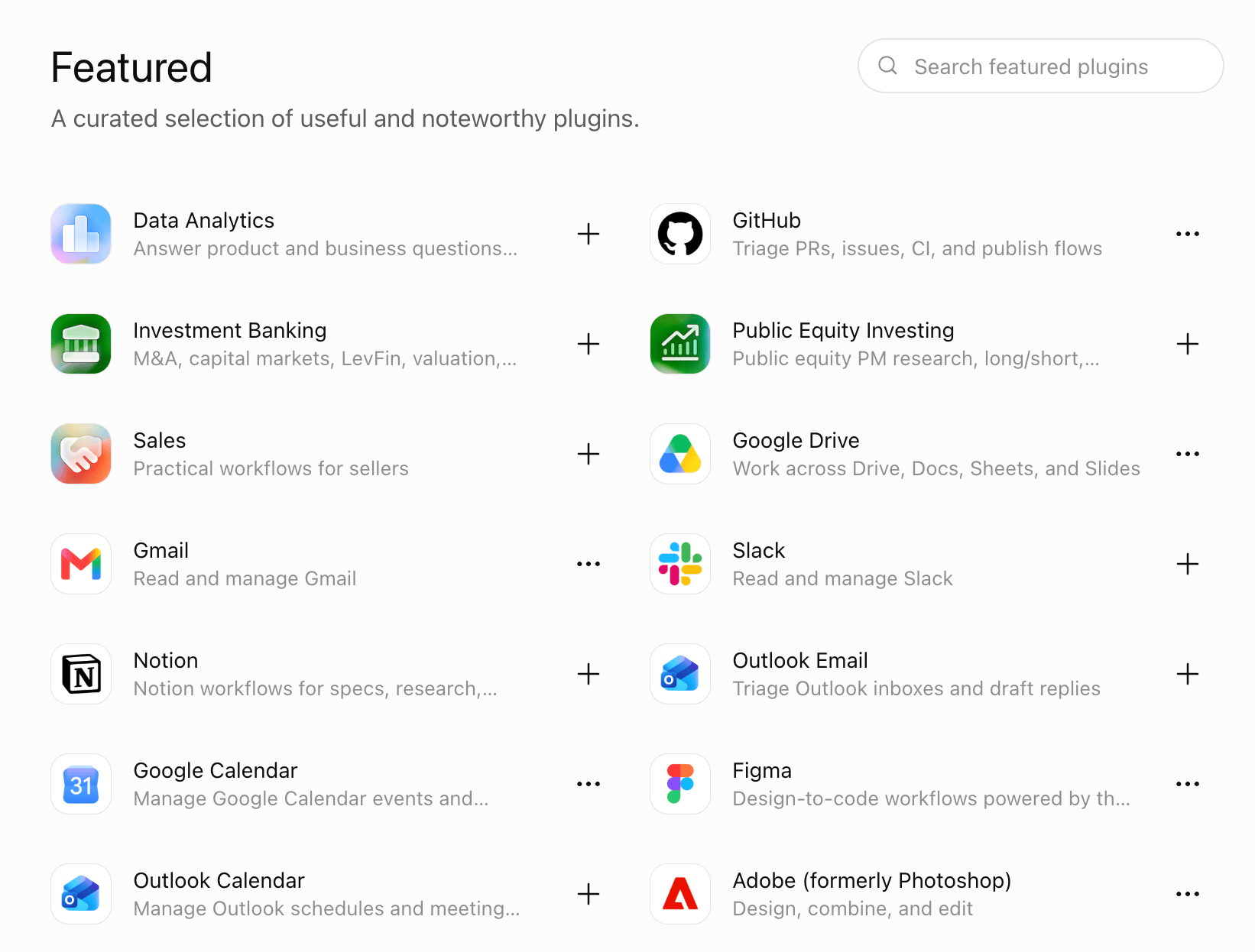
I’ve changed how I use Claude (http://claude.ai/) and ChatGPT (http://chat.openai.com) lately. They’ve become my digital dashboards, linked to many of the tools I rely on. I can ask Claude to add to my calendar, query my meeting notes, update me on my email, or find a passage I highlighted in my digital notebook. Claude Connectors and ChatGPT plugins connect to hundreds of services. These include Superhuman Mail for email, Google Calendar, Granola for meeting notes, and Readwise for my online highlights. Read on for how and why to link your favorite tools to your AI assistant, and examples of connections and queries I’ve found useful so far. Bonus: I made this new online guide (https://mcp-tool-linking-guide.silverboat.chatgpt.site)for you based on this post as an experiment with ChatGPT’s new Sites feature (https://help.openai.com/en/articles/20001339-creating-and-managing-chatgpt-sites). I also made a tipsheet (https://claude.ai/public/artifacts/700500ff-a0fd-4342-b20a-6ab19ccb6c47) with Claude artifacts (https://wondertools.substack.com/p/turn-ideas-into-apps) to help you get started. Why Connecting Tools to Claude and ChatGPT Is So Useful Claude and ChatGPT know the context for my work because I’ve set up Projects for my primary work areas. Each has detailed instructions and reference documents. And the AI has a memory of the work I do, my style, my preferences, and my objectives. So I can ask my AI assistant to: * Plan: Add four prep sessions to open morning slots on my calendar next week for the classes I’m teaching this fall. Include in each event description relevant excerpts from my meeting summary and reference the recent planning notes I dictated. * Research: Gather recent links I’ve saved to Raindrop, my bookmarking tool, that might be relevant to my team’s research. Then create a new reminder with those links and a summary of my recent related notes. These multiple-part commands require context. They won’t work in Google Calendar, Raindrop, or Granola directly. That’s why it’s so helpful to have Claude or ChatGPT as the command center. Sponsored Message (http://shortform.com/wondertools) Remember More of What You Read I often finish a good nonfiction book with a handful of useful ideas. Then I gradually forget the details. Can you relate? Shortform (http://shortform.com/wondertools) gives me a practical way to revisit the books I want to remember. Its guides are written and edited by people, not robots. The guides include clear book overviews as well as deeper analysis, which I appreciate because I want to get beyond the surface. I also like that the guides include examples and quotes. And they often mention connections to related books, which is useful for ideas on what else to read. On the Shortform app I recently read the guide to The Meaning of Your Life, by Arthur Brooks, which led me to Vivek Murthy’s book, Together, about the loneliness epidemic. I use Shortform both to refresh my memory on books I’ve already read, and to explore potential new titles before I decide what to read next. Try it to find guides for business books, education, psychology, biography, and more. Wonder Tools readers get a free trial and $50 off the annual plan. MCP (https://modelcontextprotocol.io/docs/getting-started/intro) is the New USB 🔗 These connectors have a technical name: MCP, or Model Context Protocol (https://modelcontextprotocol.io/docs/getting-started/intro). But just as you don’t need to think about USB details when you plug in a printer, or http (https://en.wikipedia.org/wiki/HTTP) specifications when you use the Web, you can use MCP without understanding its technical details. All you need to know is that MCP is a way of linking software tools, sites, and apps to AI platforms like Claude and ChatGPT. Remember the world prior to USB? Printers, hard drives, cameras, and external monitors had their own special cords to connect to your computer. I just cleaned out dozens of them from a drawer in my Manhattan apartment. Now they’re obsolete because USB ports are everywhere. MCP is a similar unifying standard for linking tools to AI. 5 Ways I’m Using Tools Connected to Claude Manage Email 📧 I rely on Superhuman Mail (https://superhuman.com/refer/8oziogx1) to read, organize, and respond to email. It’s fast, easy to use, reliable, and integrates with my calendar. I use it with three distinct email addresses. Because I have to act on important messages, I’ve linked it to Claude. Get started: The connection guide (https://superhuman.com/products/mail/mcp) walks you through linking your email to Claude or ChatGPT. You can then ask your AI assistant to: * “Help me turn a bunch of starred emails into an afternoon plan.” * “List important messages I’ve sent this month that the recipient hasn’t yet opened.” * “Draft concise responses to routine customer questions for my review.” Some of these tactics will also work with Gmail and Outlook connectors. Example query: “Look at my five most recent starred emails, suggest an action list for this afternoon based on my priority list, then put an hour on my Google Calendar to act on them.” Do More with Meeting Notes 🗒️ I use Granola (https://go.granola.ai/jeremy-caplan) as my notepad during meetings. It transcribes conversations, then creates a summary based on the transcript and my own notes. (See my guide (https://wondertools.substack.com/p/granolaguide)). I can already ask questions about my meetings in Granola without needing a separate AI tool. But the advantage of linking Granola with Claude (or ChatGPT) is that Claude has access to insights in my notes, email, and Google Drive, so it can integrate the info it pulls from Granola within the context of a broader analysis. Get started: The Granola MCP guide (https://docs.granola.ai/help-center/sharing/integrations/mcp) explains how to link it to your AI. Unlike many other paid services, Granola actually lets free users query meeting notes (for the past 30 days) using your AI tool of choice. Example query: “Give me a summary of the research questions I said I’d follow up on in my meeting with Pat. Next to each task include a bulleted list of the background details I already collected in my research spreadsheet.” Edit Images and Videos 🌆 Photoshop (https://www.adobe.com/products/photoshop/landpa.html?sdid=NC5FRF5H&mv=search&mv2=paidsearch&ef_id=CjwKCAjwpefSBhBvEiwAzyEtZ4YvGCe1vxtSgl814ABLMZq8pAUJD6Z_tSIYkb3iW4Mx8nYYDhWwJxoC0-0QAvD_BwE:G:s&s_kwcid=AL!3085!3!714745362176!e!!g!!photoshop!1712238394!67643541820&mv=search&gad_source=1&gad_campaignid=1712238394&gbraid=0AAAAAD5r4AyfJJPCD5FVaezxeQlSqeStH&gclid=CjwKCAjwpefSBhBvEiwAzyEtZ4YvGCe1vxtSgl814ABLMZq8pAUJD6Z_tSIYkb3iW4Mx8nYYDhWwJxoC0-0QAvD_BwE) and Premiere are powerful but complicated. Now you can edit an image or video without even opening a separate app. Set up the plugin, then tell your AI assistant to use it in your prompt. The AI assistants are often clever enough to figure out which tool to use even if you don’t explicitly mention it. Get started: Install the Adobe app (https://helpx.adobe.com/firefly/web/app-integrations/adobe-connectors/adobe-for-chatgpt.html) in ChatGPT. Or add it to Claude, using this guide (https://developer.adobe.com/adobe-for-creativity/). Your AI assistant will now have access to the capabilities of Photoshop, Premiere, Firefly, Express, Acrobat, and other Adobe apps. You don’t even need an Adobe account to get started, though it might be helpful to get a free one if you want to organize, improve, and act on your creations later. (Canva’s MCP (https://www.canva.com/ai-connector/) is also useful). Example query: “Help me change the text in this graphic.” Or “Reformat this horizontal video clip for YouTube Shorts or Instagram Reels.” Or “Add background blur to this headshot, fix the lighting, and crop it for a portrait.” As a test, I changed the first line in an illustration from “Bold” to “Kind.” Notice that the first attempt wasn’t perfect. The period after “Kind” was missing. But a quick edit request fixed that. The Photoshop edit preserved the font, style, spacing, and angle. The benefit: Instead of hunting through Photoshop menus trying to figure out how to do this, I just asked ChatGPT to use Photoshop to make a change. In the long run, being able to use natural language to accomplish tasks like this may shift how we spend our time away from technical menu-hopping toward more creative work. We’ll spend more time thinking about what to do and why, rather than how to technically get it done. Find Highlights 📚 I use Readwise (https://readwise.io/) to collect the passages I highlight when reading online or on my Kindle. It also hosts passages I save when listening to podcasts with the Snipd (http://snipd.app) app. Get started: The Readwise MCP (https://readwise.io/mcp) lets you make use of the highlights you’ve made while working on other projects with an AI assistant. Example query: “Show me a bunch of my Readwise highlights that include descriptions of desserts, especially from European novels, then gather a list of related recipes I can make with my daughters before our trip.” Research Legal Cases 🔎 Court Listener (https://www.courtlistener.com/) from the Free Law Project (https://free.law/) is a handy way of gathering info about court cases. You can ask for records related to Elon Musk’s recent testimony without paying for a legal research service. Thanks to Hong Qu (https://substack.com/profile/235076-hong-qu) for the tip. Get started: Use the Court Listener MCP guide (https://wiki.free.law/c/courtlistener/help/api/mcp/model-context-protocol-mcp-server-for-agentic-access) for free with Claude or ChatGPT. First set up a free Court Listener account. Example query: “Review the news article at XYZ link, find the case that’s being discussed, and give me additional details about the case and any other related recent cases.” Other Useful MCP Tools 🛠️ * Rize (https://rize.io/?via=JEREMY) is my favorite tool for time-tracking. I linked it to Claude so I can learn from how I’m spending my time and assess that alongside info from my meetings, email and calendar. The Rize MCP page (https://rize.io/changelog/rize-mcp) includes use-cases and helped me get started. Rize requires a paid subscription. * I use Raindrop (https://raindrop.io/) to save links I’ll need later. I checked the Raindrop MCP (https://help.raindrop.io/integrations/mcp) page to set it up and learn about the kinds of queries I can run from Claude. When I’m doing research in a project, for instance, I can ask it to pull in relevant links I’ve saved. Or I can even ask Claude to put the links from a spreadsheet I’m working on into my Raindrop bookmark collection with appropriate tags. * Sublime (https://sublime.app/) is another tool I use to save quotes, images and useful pages online. Unlike Raindrop and other well-designed clipping tools like MyMind (https://mymind.com/), which are fully private, Sublime lets me see related material other people have saved. Now I can ask Claude to pull in relevant material from Sublime (https://substack.com/profile/476311708-sublime). * Substack (http://substack.com) has a new MCP (https://support.substack.com/hc/en-us/articles/50834026608916-How-to-connect-Substack-to-your-AI-Assistant), available to select publishers as of now. It lets Claude coach me on my analytics. I recently asked for an analysis of send times to figure out how they impact open and click rates. Substack’s help page notes that the MCP has “read-only access to publication data such as dashboard metrics, traffic data, and publication settings. It cannot publish posts, send Notes, or modify your account.” How to Link Tools to Your AI Assistant * Decide what kind of connector will be useful to you. * Email: Gmail, Outlook, Superhuman, and other email services now let you analyze and respond to your messages. * Files: Analyze or act on files in your Google Drive, Dropbox, Box, Slack, Notion, or anywhere else you keep your documents and files. * Planning: Add events to your Google or Outlook calendar, or organize projects with tools like Airtable, Monday, ClickUp, Asana, and Linear. * Fun: Create Spotify playlists based on your work vibe or search StubHub or SeatGeek for tickets your family or friends might enjoy. * Pick from your AI tool’s curated list. Claude and ChatGPT each have a bunch of services pre-configured to work. Perplexity (https://www.perplexity.ai/computer/connectors) now does too. Popular ones include Google Drive, Gmail, Google Calendar, Canva, Figma, and Notion. * Paste in the address of a custom connector. For tools that are not on the default list, you put in an MCP address, which is like a special website to connect an external service to your AI tool. Find more to try in a directory (https://www.pulsemcp.com/servers). Step by Step * Click connect on the service you want. * Log in to that service in the window that opens. * Approve permissions your AI assistant asks for, so it can access the external tool. Limit permissions to view only if you want your AI to see info from a linked service but not change anything. You can update permissions later in your AI tool’s settings. Getting started with MCP connections doesn’t require any programming or technical wizardry. If you can add an app to your phone, you can do this. (Note: Google’s Gemini (http://gemini.google.com) doesn’t yet enable easy MCP connections). Be Careful About Linking Private Data Think twice before connecting services that host sensitive info. I haven’t linked my bank accounts to my AI tools, for example. If you do that and someone gets access to your AI account, they’ll be able to find out a lot about your finances. * It can happen when a thief uses a “prompt injection” to manipulate an AI tool into releasing sensitive info. * Or it can happen if your phone is lost or stolen. New York, London, Paris, and other major cities see thousands of phones stolen each year (Zipdo 2026 report (https://zipdo.co/phone-theft-statistics/)). * Data can also leak from AI systems. It’s rare, but there have been cases like this one (https://www.theregister.com/security/2026/05/12/us-bank-reports-itself-after-ai-customer-data-mishap/5238787). Be Cautious About Letting AI Tools Act on Your Behalf I’m not yet letting AI tools send emails for me. Or submit forms or applications. If Claude or ChatGPT generates something odd because of a glitch, or because I rushed a query, I want to be the one noticing the error. When you start connecting AI tools to external services, you have the option to give your AI assistant power to do things on your behalf. That can be useful for research, summarizing meeting notes, or cleaning up messy computer folders. But you or your AI assistant could make a costly mistake with important info. In a rare but alarming case, Cursor, an AI tool, deleted PocketOS’s company database and its backup (Guardian article (https://www.theguardian.com/technology/2026/apr/29/claude-ai-deletes-firm-database)). A related 2025 case involved Replit (Fortune article (https://fortune.com/2025/07/23/ai-coding-tool-replit-wiped-database-called-it-a-catastrophic-failure/)). Other Ways Connected AI Can Go Wrong * Travel booking blunder. You ask it to cancel a reservation, and it cancels your entire itinerary. Or you ask it to book a flight on 7/1/27 and it books a nonrefundable ticket on 1/7/27, assuming you were using the European date system and meant January 7, not July 1. * Disappearing Files. You ask it to get rid of duplicate files. It deletes an entire folder with a similar name. * Calendar Chaos: You ask it to “find a time for everyone” and it reschedules an existing meeting in the wrong time zone, because you were traveling when you wrote the request. I haven’t encountered any of these errors. But these services are still new, so you may encounter occasional bugs or blunders. From Answer Machine to Headquarters I initially thought of AI tools as answer machines. Ask for info, get back useful text. Then I thought of AI assistants as question machines, provoking me to think about things I hadn’t considered. Now I think of them as my online headquarters. Claude serves as a dashboard where I can act on my email, notes, documents, calendar, designs, saved links, and meeting transcripts. It’s like having a new partner to support me and help make work a little more efficient and creative. p.s. To see these connections in action, watch a recording of my live workshop. You’ll find it on the perks page (https://wondertools.substack.com/perks) for paid subscribers. This is a public episode. If you'd like to discuss this with other subscribers or get access to bonus episodes, visit wondertools.substack.com/subscribe (https://wondertools.substack.com/subscribe?utm_medium=podcast&utm_campaign=CTA_2)
ClaudeChatGPTMCP

📍 Pinpoint, Explained

8 min

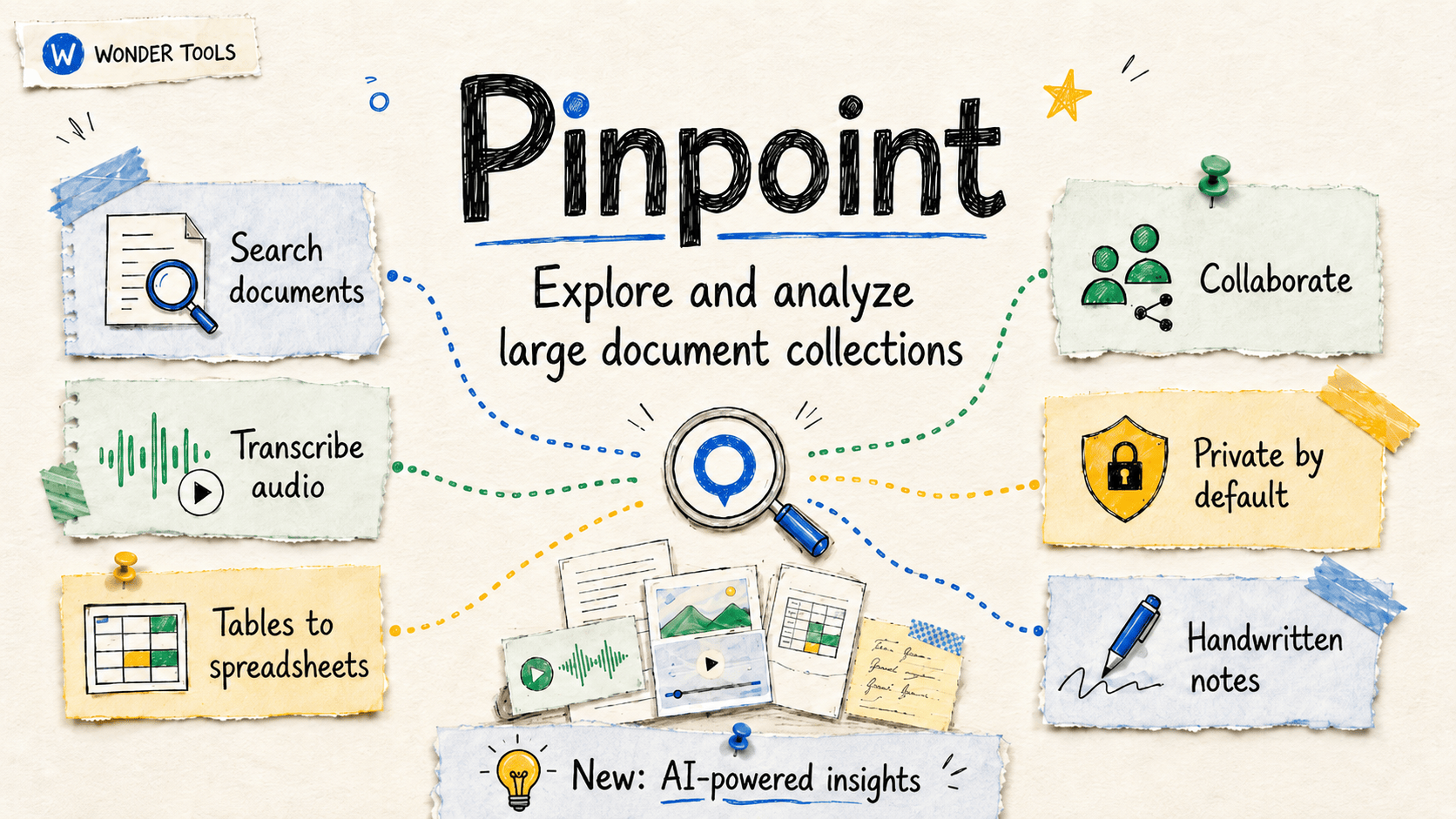
Google’s Pinpoint (https://journaliststudio.google.com/pinpoint/) is now open to everyone. It’s a surprisingly powerful free tool for making sense of giant piles of digital stuff. (Before June 3, it was restricted to journalists and academics). Read on to learn more about creative ways to use Pinpoint; its new AI features and their limitations; and how Pinpoint differs from NotebookLM. How Pinpoint (https://journaliststudio.google.com/pinpoint/about?utm_source=jsuite_portal) Works Pinpoint lets you store and analyze hundreds of thousands of files so you can find tiny needles in gigantic digital haystacks. * Pinpoint can transcribe hundreds of hours of audio and video. * It also makes your handwritten text, scans, and PDFs searchable, like my enormous collection of scanned handwritten notes and whiteboards. * Once Pinpoint processes your files you can search, summarize, and organize your collections. * Pinpoint makes it easy to query, label, and extract data from hundreds or thousands of documents. It’s simple to use. No complex menus or commands. Getting Started * Start by uploading PDFs, emails, audio and video files, handwritten notes, or other file types (https://support.google.com/pinpoint/answer/11991982?sjid=17303508964625684243-NA). * Each collection can have up to 200,000 files. You can have an unlimited number of collections, which function like folders. * Journalists and academics can request (https://journaliststudio.google.com/pinpoint/requestaccess) “Pinpoint for Professionals (https://support.google.com/pinpoint/answer/17006598?hl=en&ref_topic=11948319&sjid=13481767996761250701-EU),” which provides 100GB of storage. Others start with 1GB. * Audio and video files can be up to 2 hours long and 8GB. The limits are much more generous than what other AI tools, like NotebookLM, offer. * Pro tip: Create separate Pinpoint accounts for each of your Google accounts. That gives you more storage. It’s also how I keep personal projects separate from work. You can always download files you’ve previously uploaded. And request additional storage if you reach your limit. Pinpoint Features to Try * Scour through audio recordings to locate key moments. Pinpoint transcribes in more than 100 languages. Upload and transcribe your recorded presentations to review how you frame a particular topic. Or how water pollution is described in local council meetings. * Explore text within images and handwritten notes. I’ve scrutinized my old handwritten notes for ideas and checked whiteboard photos for explanations I can improve. * Share a document collection. Invite individual collaborators (https://support.google.com/pinpoint/answer/11955480?sjid=11726207674749051371-NA#share_collection) or publish (https://support.google.com/pinpoint/answer/11955480?sjid=11726207674749051371-NA#publish_collection) a collection for public exploration. Giving readers access to source material can be a valuable form of transparency in journalism (https://academic.oup.com/edited-volume/61798/chapter-abstract/546234724?redirectedFrom=fulltext#546234724). * Analyze an email or document archive. Assess a public email trove or document collection, like files from the Enron trial (https://www.justice.gov/archive/index-enron.html), for connections between politicians and companies, or financial impropriety. * Focus your research on particular people, organizations, locations, or date ranges. Pinpoint automatically lists a collection’s most frequently-mentioned entities. Click on an entity to jump to exactly where it’s mentioned. * Export important Gmail folders with Google Takeout (https://takeout.google.com/) in .mbox format. Takeout lets you export and back up anything Google hosts. You can then upload your email collection to Pinpoint to find patterns, or locate references to specific people, places, or organizations. 🎁 Try my new Pinpoint Assistant (https://gemini.google.com/share/e093de53da21) to get personalized ideas for how you can use Pinpoint for a project you’re working on. Pinpoint in Newsrooms News organizations have relied on Pinpoint for award-winning investigations involving thousands of documents, including: * Blind Spot (https://blog.google/products-and-platforms/products/news/boston-globe-pinpoint-pulitzer-prize/)by the Boston Globe (Pulitzer) * Poisoned (https://projects.tampabay.com/projects/2021/investigations/lead-factory/) by the Tampa Bay Times (Pulitzer) * Secret Sauce: Expired (https://www.bpr.org/ramadainn) from North Carolina’s Blue Ridge Public Radio (BPR) (Edward R. Murrow Award). * Z. Waite’s detailed case study (https://www.newsmediahelpdesk.org/public-radio-news-google-pinpoint-case-study/) explains how and why BPR used Pinpoint. Waite also notes four good, free, alternative tools: DocumentCloud (https://www.documentcloud.org/), Datashare (https://datashare.icij.org/), OpenRefine (https://openrefine.org/), and Datasette (https://datasette.io/). Public Collections * Pinpoint’s “Explore (https://journaliststudio.google.com/pinpoint/explore)” section lets you examine document collections from more than 200 news organizations, ranging from The New York Times (https://journaliststudio.google.com/pinpoint/explore?organizations=the_new_york_times) and The Washington Post (https://journaliststudio.google.com/pinpoint/explore?organizations=wapo) to The Hindu (https://journaliststudio.google.com/pinpoint/explore?organizations=the_hindu) and Süddeutsche Zeitung (https://journaliststudio.google.com/pinpoint/explore?organizations=zeitung_dossier). Test out the searching and filtering features before uploading anything. * Notable document sets include JFK assassination records (https://journaliststudio.google.com/pinpoint/explore?query=jfk), Mueller Court filings (https://journaliststudio.google.com/pinpoint/search?collection=0f1bd53b4da512b3), and 80 years of U.S. foreign agent registrations (https://journaliststudio.google.com/pinpoint/search?collection=0e02bc61daad782b) (86,018 documents) uploaded by the Center for Public Integrity. New AI Capabilities Pinpoint has a bunch of new AI features in beta available in more than 80 countries (https://support.google.com/pinpoint/answer/14338615?hl=en#support_countries). In my testing, not all of the AI capabilities work reliably yet, but you can request early access (https://docs.google.com/forms/d/e/1FAIpQLSd2owbRY5gLj6iXDSgPrPapsPoFo4xD2VLmrAhJ24d-Isq1xQ/viewform). Pinpoint’s AI features are designed to help you analyze your files, not generate original content as you might with Gemini or NotebookLM. * Explain words or phrases in any file. Highlight any text and ask Pinpoint to put it in context. I like the short, useful explanations based on what else is in a document. * Google words or phrases inside your text to learn more from Google. In my tests, this beta feature consistently yields error messages. * Summarize Collections. I like how Pinpoint gives me an AI-generated overview of every file I upload. It can also summarize an entire collection. * Extract data into spreadsheets. Pull info from up to 100 documents at once and deliver it as a sheet, with links back to the source text for each data point. That’s handy for tracking mentions or doing comparative research. Try this feature for analyzing public government contracts or other information in PDF form that would be easier to work with in a spreadsheet. * Automatically label hundreds of your files in a collection. Let’s say you have a public email dataset. You may want to evaluate just those written by a particular person, or just those discussing a particular stock. Instruct Pinpoint and it will label your collection for you. Limitation: Pinpoint can label 1,000 files at a time. In my tests, the interface only let me select 100 files. If you’re working with tens of thousands of files, labeling may be tedious. * Transcribe audio quickly. Pinpoint now claims to give you high-quality transcribed text 20x faster than it used to. I couldn’t verify that specific metric, but it’s generally fast. Each file is helpfully time-coded. Click on any section of text to hear the corresponding audio. Limitation: unlike Wispr Flow (https://ref.wisprflow.ai/jeremy-caplan) and Letterly (https://letterly.app?ref=jcwt), which I use for my personal dictation, Pinpoint sometimes mangles names, and doesn’t learn from its errors. * Compare any two or three files. See what changed in multiple versions of a document, or how three different people addressed the same subject. * Query your collection with ordinary language. Results are often fast, useful, and linked back to the original document. Expect occasional errors, though. One search I tried, for example, returned a document mentioning someone with a similar but different name from the one I was searching for. * Create a timeline. If you’re looking at how something developed over time, you can pick up to 100 files and generate a timeline. You can optionally specify a topic for the timeline. This might be useful if your dataset has dated transactions, for example, or multiple reports you want to put in order. Pinpoint vs NotebookLM * What’s similar: Both NotebookLM and Pinpoint are free Google services that allow you to efficiently summarize and search though large documents. * What’s different: NotebookLM synthesizes and generates (slides, infographics, video and audio podcasts, and reports). Pinpoint, on the other hand, focuses on finding patterns and organizing a wider array of file types in much larger collections of email, multimedia, and scanned images. * NotebookLM allows 50 files per notebook for free users. (See my guide (https://wondertools.substack.com/p/notebooklm-the-complete-guide)). Pinpoint lets you upload 200,000 files into each collection. * Combine the two: If you have a large collection of documents, consider gathering, storing, organizing, and transcribing in Pinpoint. Then move the most important files into NotebookLM for further analysis and to generate artifacts like reports, slides, infographics, flashcards, audio, and video. Privacy * Your documents are private. Nothing you upload is public unless you publish a collection. Read Google’s Pinpoint privacy details (https://support.google.com/pinpoint/answer/17007004). * Your files are not used to train AI models. Google explicitly notes that documents you upload won’t be used to train Large Language Models. Read Google’s statement (https://support.google.com/pinpoint/answer/14338615). * The bottom line: I trust Pinpoint for non-sensitive document work. But because uploads are processed on Google’s servers, Pinpoint may not be a fit for everything or everyone. Here are additional privacy details (https://docs.google.com/document/d/176zn7v56SjMp5ecQYzulEFg0a7Jz6RqFzBjq0VmB-e4/edit?usp=sharing). Limitations * No mobile app. You can view docs on a phone browser, but not all features work. * No NotebookLM integration yet. You can’t easily move files from one service to the other. * Storage caps. On a 1GB account, you may hit storage limits with large files. * AI features aren’t error free. No AI implementation is. This is a public episode. If you'd like to discuss this with other subscribers or get access to bonus episodes, visit wondertools.substack.com/subscribe (https://wondertools.substack.com/subscribe?utm_medium=podcast&utm_campaign=CTA_2)
Google PinpointNotebookLMdocument analysis

🛑 Skip the Upgrade

63 min

I love new gadgets and gizmos, and I’m constantly trying new sites and apps. So I was intrigued by the title of Eric Athas (https://substack.com/profile/8122830-eric-athas)’s upcoming book, Saying No to New (https://ericathas.com/saying-no-to-new). Eric’s an editor at the New York Times, where he helps journalists make the most of new tools. He’s also a lifelong early adopter. He told me he used to wait in line for new iPhones. But his upcoming bookhttps://ericathas.substack.com/is about thinking twice about new stuff. In our Substack Live conversation, we talked about old gadgets we still love and new gadgets we never use. Eric shared advice on how to tell the difference between things that might genuinely improve your life, and gizmos that will end up at the back of a closet. We even did a little show and tell with various odd gadgets in our offices. 📺 Watch the full conversation above, or read highlights below. 1. The Vanishing Gap Between Wanting and Getting When Eric and I were growing up, if you wanted to buy something cool you saw on TV, you’d have to drive to a store. You or your parents would have to spend cash. If you ordered something by mail, you’d wait weeks for delivery. Today, you can tap on a phone and the thing that caught your eye appears at your door the next day. You can even buy now, pay later, so you don’t need cash. Coming next? AI agents that shop for you proactively. They anticipate what you want so you don’t have to make any decision at all. Eric calls this the collapse of the “new thing gap.” The time, distance, and cost between seeing something new and acquiring it has shrunk. That gap used to protect us from buying on impulse. * One-click ordering eliminated distance. * Free shipping removed the physical effort of the pickup errand. * Deferred payments eliminated financial friction. You don’t even need the money. Eric suggests we reintroduce friction by pausing long enough to ask whether the new thing will actually matter a month from now. 2. Show and Tell: Our Gadget Graveyards 🎪 Eric and I compared old odd gadgets in our offices. From my desk: * Multiple VR headsets. I have at least three, including one with the plastic still on it. You slot your phone in, close it up, and get an immersive view. Remember when the New York Times announced (https://www.nytimes.com/2015/10/21/business/media/the-times-partners-with-google-on-virtual-reality-project.html?unlocked_article_code=1.kFA.iQXp.UbCe6dA2Su16&smid=url-share) in 2015 it would ship a million Google Cardboard VR headsets? Eric confirmed that the headset now lives in the Times’s in-house museum. * Lumo posture band (https://www.workwhilewalking.com/lumoback-posture-sensor-review). This posture sensor had a belt that wrapped around my waist and buzzed when I slouched. It was a cool, if weird, concept, but the buzzing was distracting, I still slouch, and the product was discontinued. It’s lived in my drawer for years. * PLAUD AI recorder (https://www.plaud.ai/products/plaud-note-ai-voice-recorder?srsltid=AfmBOoqb4vrSCPcpk3gaA0VPpv3UulXjwKpfctg39DDdmD0rIskulQ2Q) next to my brother’s old tape recorder. The old one has a red record button, a play button, and a stop button. You know exactly what to do with it. The Plaud is sleeker but less intuitive. * Sand timer. This one is both decorative and useful. It’s silent, easy to use for timing, and never needs to be charged. I use it to stay focused during hard tasks. From Eric’s desk: * A USB coffee mug warmer (https://www.amazon.com/usb-coffee-warmer/s?k=usb+coffee+warmer). Cracked. Unused. Eric’s take: once you introduce a USB cord into the coffee experience, it loses its magic. * NeeDoh stress balls. (https://my-needoh.us.com/?gad_source=1&gad_campaignid=23833775197&gbraid=0AAAABDmyEUrKtUxHLnWPRQy8jROeuCd7l&gclid=CjwKCAjw2rrQBhBuEiwAarLWHbLF7b8uHO9cSWlFA-wcBPRaMEX1-q99qXs3h2lg93TWEAP6ziLw7xoCvoEQAvD_BwE) A kid craze. Eric’s children wanted them, squeezed them for a day, and abandoned them. He wrote about the NeeDoh fad here (https://ericathas.substack.com/p/the-recipe-for-a-viral-fad). I have multiple stress balls, and I use them often. Consumer Reports warns (https://www.consumerreports.org/babies-kids/child-safety/squishy-fidget-toys-can-be-a-sticky-mess-or-worse-a1350654856/) they can create a sticky mess or worse. 3. New Things Worth Saying Yes To ✅ Eric’s book isn’t about rejecting everything new. It’s about choosing things thoughtfully so the genuinely useful things don’t get crowded out. Some of the new tools we like: * Seek (https://www.inaturalist.org/pages/seek_app) app. Free. Point your phone at any plant or animal in nature and learn what it is. I discovered it during the pandemic and still use it regularly. * Merlin (https://merlin.allaboutbirds.org/) app. Free. Record birdsong and the app identifies the species. Eric and I are both fans. * Granola (https://go.granola.ai/jeremy-caplan). AI meeting summaries. It’s now part of my workflow. Here’s why (https://wondertools.substack.com/p/granolaguide). It’s infrastructure for me, not novelty. Free for basic transcriptions and summaries. I pay $14/month for additional features, like storing meeting notes for months and querying them with Claude. What these tools have in common: they solve a real problem, they’ve lasted, and we’ve stuck with them. Sponsored Message (https://warmy.io/?fpr=wondertools) Sending Emails but Getting Zero Replies?It might not be your copy. Many startups unknowingly have broken email deliverability, causing messages to land straight in spam folders. That means lost leads and wasted outreach. Warmy.io (https://warmy.io/?fpr=wondertools) automatically warms up your email accounts, protects your sender reputation, and keeps your emails landing in real inboxes.If email is part of your growth strategy, this matters.Fix your deliverability before your next campaign. 4. Our Brains Chase Seductive Novelty 🧠 Eric’s new book is grounded in neuroscience. When we encounter something new, we get a dopamine hit. That neurological response evolved to help our ancestors survive. New food sources, new paths, new shelter: those discoveries were rewarding. But sometimes novelty seduces us without offering anything meaningful. In one study Eric described, rats repeatedly crossed an electrified grid just to explore an unfamiliar area. They chose pain plus novelty over a known food source. Humans do something similar. We covet a new phone partly for its camera, but partly just because it’s new. Then we do it all over again. Even if we can’t afford it. That’s one reason why so many Americans are in debt. I recently read Dopamine Nation (https://www.annalembke.com/dopamine-nation), a surprisingly engrossing book by Dr. Anna Lembke, about how our brains are so readily seduced by pleasure. What results is an unfortunate cycle. We get something new, enjoy it briefly, and soon we’re scanning for the next new thing. My college advisor, Daniel Kahneman (https://kahneman.scholar.princeton.edu/), studied and wrote about this “hedonic treadmill” effect. His research showed that we overestimate how much a new purchase will improve how we feel. And novelty tends to wear off quickly. He called it “hedonic adaptation.” That doesn’t mean we should avoid all new things. But it does mean we should think carefully about whether there’s something genuinely meaningful behind the new shine. 5. Experiences Outlast Products 🎒 Research shows that trips, cooking classes, concerts, and other new experiences tend to give us more lasting delight than new products do. That’s partly because experiences tend to be social. You go with someone. Or you meet people there. You talk about it afterwards. Trips have a beginning, middle, and end. You have a story you can retell. A new pan doesn’t generate much conversation after the first week. Its novelty fades fast. Kahneman, who was one of the best teachers and advisors I’ve ever had, introduced me to the related “comforts vs. pleasure” theory. It was originally described by Tibor Scitovsky in The Joyless Economy (https://www.amazon.com/Joyless-Economy-Psychology-Human-Satisfaction/dp/0195073479): The Psychology of Human Satisfaction (https://www.amazon.com/Joyless-Economy-Psychology-Human-Satisfaction/dp/0195073479). It changed the way I think about spending money. Comforts are things we buy and then quickly adapt to. A nicer couch. A bigger TV. They feel great at first, then they fade into the background. Pleasures, on the other hand, are transient experiences: a delicious dinner with friends, a live concert, surprise flowers, or a summer walk with someone you love in a new city. These kinds of experiences are brief, but they retain their emotional charge when you reflect back on them. Kahneman’s argument, supported by numerous studies, was that pleasures enhance happiness more durably than comforts, because we don’t adapt to them. The research findings’ bottom line: if you want more happiness, splurge on special experiences with loved ones rather than expensive things. Eric’s suggestion: if you’re drawn to something new, try turning the purchase into a social experience. Waiting in line with a friend for trendy cookies transforms a dopamine-seeking buying excursion into an experience and a fun shared memory. Daniel Pink (https://substack.com/profile/22111714-daniel-pink) recently made a compellingvideo (https://youtu.be/iGkVqeFUVNU?si=E4hBgUwI9uuM_Tel) on the same theme: how to spend money so it actually makes you happier. His take aligns with Eric’s and Kahneman’s. Spend on experiences, not things. 6. Ask These Questions 🔍 Eric suggests a few questions to ask before you acquire something new: * Will I still use this in a month? Will this serve an ongoing purpose, or will it get stuck in the background? (I’ll use this one the next time I’m tempted by a kitchen gadget or iPhone app). * Is it intuitive to use? Eric points to modern car dashboards as a cautionary tale: touchscreens that look futuristic can end up being more confusing than the knobs and buttons they replaced. * Is it likely to distract you? A sand timer, a paper book, a physical photograph: these do one thing well without pinging you. A single-purpose app on your phone, on the other hand, puts you one swipe away from email, Instagram, and other Internet rabbit holes. 7. Good Enough is Sometimes Enough 👍 Eric’s coffee maker still works. His wife wants him to upgrade. He resists, not out of stubbornness, but because it does exactly what he needs. He programs it at night. He wakes up to fresh coffee. No learning curve. His suggestion: before replacing something, ask whether what you already have is still good enough. Something better always exists, but if the upgrade is just about novelty, it might not be worth the effort, expense, or space. I have more than 600 apps on my phone. I use only a small fraction regularly. But I’ve realized that going back and manually deleting everything I’m not using is a waste of time. In the digital domain, unlike the physical one, unused things don’t take up much space. Going back and deleting emails or apps one by one feels like more of a waste than letting them sit idly in the graveyard. 8. Paper Books and Quiet Treasures 📖 About two-thirds of Americans still read books on paper despite the convenience of ebooks. Part of what’s appealing about them is sensory: the way pages turn, the way a book feels in your hands, the smell of the paper. But there’s another advantage. A paper book doesn’t send notifications. It offers no tempting apps. The same goes for vinyl records, Polaroid photos, sand timers, and handwritten journals. Each of these enables you to deeply focus on what you’re doing. My grandfather taught me to use a Minolta camera (https://www.dropbox.com/scl/fi/pnidc3ij8wxxyim32e7ja/IMG_6600.heic?rlkey=19fd0no34itrdw7l8irfy53mp&st=kuxvk1ah&dl=0) when I was little. The quality of its pictures doesn’t match that of an iPhone. But old objects like the Minolta have intrinsic value beyond their function. A hand-me-down camera is a reminder of love. I have more than 50,000 photos on my phone. That abundance, paradoxically, devalues each individual image. When film was limited and developing took days, every picture felt more precious. Anticipating which pictures might turn out was part of the thrill of photography. I don’t want to return to that era. But the photos my wife and I have printed and framed mean more to me than many of the ones sitting in my phone’s camera roll. 9. Choices Are Contagious 😷 The last chapter in Eric’s book is about invisible influence. If your friends are constantly upgrading their homes, devices, or apps, you might feel the pull to keep pace. It’s tempting to follow the cultural lead of those around us. The reverse is also true. Choosing to stick to what you have quietly signals to other people that it’s okay to keep the old thing, to skip the trend. Read more 📚 * Saying No to New (https://ericathas.com/saying-no-to-new) Available for pre-order. Out September 15 from Balance. * Eric Athas on Substack (https://ericathas.substack.com/) Behind-the-scenes updates, pre-order bonuses, and a decision-making tool tied to the book’s ideas. * Dopamine Nation (https://www.annalembke.com/dopamine-nation) by Dr. Anna Lembke (https://med.stanford.edu/profiles/anna-lembke). The neuroscience of novelty-seeking. Eric and I both referenced it. * The Joyless Economy (https://www.amazon.com/Joyless-Economy-Psychology-Human-Satisfaction/dp/0195073479) by Tibor Scitovsky (https://en.wikipedia.org/wiki/Tibor_Scitovsky). A psychology classic about what impacts happiness and how comforts differ from pleasures. What’s a new thing you say no to? Leave a comment 👇 Thank you Des Kennedy (https://substack.com/profile/345899347-des-kennedy), Betty Solomon (https://substack.com/profile/3319891-betty-solomon), George K Thomas (https://substack.com/profile/13486559-george-k-thomas), and many others for tuning into my live video with Eric Athas (https://substack.com/profile/8122830-eric-athas) and thanks to you, reader, for making it all the way down here to the end of this post. This is a public episode. If you'd like to discuss this with other subscribers or get access to bonus episodes, visit wondertools.substack.com/subscribe (https://wondertools.substack.com/subscribe?utm_medium=podcast&utm_campaign=CTA_2)
Eric AthasSaying No to Newnovelty seeking

What I Learned About Time 🕰️

64 min

I love Laura (https://substack.com/profile/545485-laura) Vanderkam’s books about how to make the most of time. It’s never about stuffing more into our days. It’s not about productivity. It’s about savoring and being creatively thoughtful about what we choose to do. Her books 168 Hours (https://lauravanderkam.com/books/168-hours/) and Tranquility by Tuesday (https://lauravanderkam.com/books/tranquility-by-tuesday/) changed how I think about my own weeks. For example, her argument for “effortful before effortless,” nudged me to spend more of my discretionary time on my hobbies. Her latest book, Big Time (https://lauravanderkam.com/books/big-time/), new this week, makes the case for time abundance: we have more time than we think, and there are surprising ways we can savor it. In our live conversation May 7, we talked about why weeks matter more than days, how to make work more satisfying with small changes, and why your weekday evenings may hold more free time than you realize. 📺 Watch the full conversation above, and read highlights below. My Favorite Ideas from Our Conversation 💡 1. Your Life Is a Circus. Be the Ringmaster. 🎪 When people say “my life is a circus,” they mean chaos. Laura says that’s a slander against circuses. A real circus is a super-organized performance. Nobody gets shot out of a cannon at the wrong time. She thinks of life as a well-orchestrated three-ring circus: career, relationships, and self. You’re the ringmaster. Each ring may have a bigger or smaller act at any given moment. A good circus is managed for delight. You want to run a show you’d actually want to watch. The circus also needs a safety net. Complex lives require backup plans so that complexity doesn’t descend into chaos. 2. Think in Weeks, Not Days ⏳ There are 168 hours in a week. That number matters more than 24. If you work 40 hours and sleep 56, you still have 72 hours for other things. That’s not all free time. But we have much more discretionary time than we often realize. Laura says the time-crunch feeling often results from looking narrowly at today. Zoom out to the week and you’ll often see more room. 3. Track Your Time Simply 📊 Laura tracks her time on a basic Excel spreadsheet. Half-hour blocks. Monday through Sunday. She checks in three times a day and jots down what she did since the last check-in. She doesn’t make pie charts. She uses plain language: “Email.” “Cooking.” “Reading.” “Driving.” Whatever you’d casually tell a friend if they asked what you were doing right now. At the end of each week, there’s room to reflect. What were the highlights? What did you enjoy most? What was most memorable this week? What was frustrating? She then archives the log and opens a new one. Laura has been doing this long enough that she can now pull up an old log from the same week in a prior year. She recently compared this past April with April 2020. She now has a kind of personal time capsule. (My wife and daughters use Gretchen Rubin’s 5-Year One-Sentence Journal (https://books.google.com/books/about/The_Happiness_Project_One_Sentence_Journ.html?id=X_2MEAAAQBAJ&source=kp_book_description) for a related time capsule). Tip: You can use Laura’s simple, free time-tracking spreadsheet (http://lauravanderkam.com/manage-your-time). If spreadsheets feel like too much work, try Toggl (http://toggl.com). I use Rize (https://rize.io?via=jeremy), which automatically categorizes my time so I don’t have to remember to log. 4. Enjoy Work More with 3 Small Experiments 🔧 Laura tested three tactics with hundreds of people over three weeks. Each tactic helped people feel more satisfied with their work to a statistically significant degree. The approaches don’t require that you change your job. They also don’t depend on you having a ton of autonomy. So they’re designed to work for all sorts of roles. * Spend one more hour per week on the work you like best. Every job has tasks you prefer. Even a short conversation with a manager can shift the balance toward more of those. (This reminds me of “job crafting,” a tactic I once wrote about (https://time.com/archive/6906727/hate-your-job-heres-how-to-reshape-it/) for Time Magazine). * Spend 15 more minutes per week at work with someone you like. Friends at work are people you’d willingly spend time with outside the office. Social time at work matters more than we may realize. * Take two intentional breaks per day. Everyone takes breaks. Most are unplanned. When you decide in advance how you’ll spend a break, you can choose something rejuvenating rather than defaulting to scrolling or other screen time. One participant in Laura’s study told her: “I thought about leaving my job. I may still do that. But now I see ways to make work better whether I quit or not.” 5. Reclaim Your Golden Hours ✨ Golden hours are what Laura calls the stretch of weekday time after work and before bed. For most people, that’s roughly 6 p.m. to 11 p.m. Five hours. Laura’s challenge: set one golden hour intention each day. Thirty minutes of something you chose and genuinely enjoy. Not work. Not housework. It might be: reading. A puzzle. A walk. A board game. Playing music. Even watching a movie with a loved one, if you chose that. The point is awareness, and intention. Once you claim 30 minutes of chosen leisure, you’re less likely to tell yourself the story that you have no free time. Laura also noted that Golden Hours is the title of her next book. Given that this book just came out, I’m impressed that she’s already ready for the next one. 6. Try Effortful Fun Before Effortless Fun 🎯 This was the most memorable and useful tactic I learned from Laura’s previous book. It pops up again in this one. Here’s the idea: when your schedule allows for a bit of leisure time, start with at least a few minutes of something that takes effort, before you default to screens or other mindless activity. Read three pages of a book before opening Instagram. Start drawing or playing an instrument (my choice) before picking up your phone. One of two things will happen. You may get absorbed in the book and keep going. Or you might switch to Instagram anyway, but at least you’ve enjoyed a few minutes of something you care about first. Laura likes taking on big, year-long projects, like listening to all of Bach or Beethoven, or reading all of Jane Austen or Shakespeare, all of which she’s done in years past. Those all require just 10 pages a day or listening to one piece. If you sprinkle your days with effortful moments, you’ll get deep into projects you care about over the course of a year. If not, you’ll have a year’s worth of scrolling or other mindless diversion that may not add up to something memorable. Laura’s insight: effortful fun is especially enjoyable and valuable once you clear the initial hurdle of getting started. But when you start with effortless fun, it’s easy to get sucked in and hard to switch to something effortful with more friction. 7. Go Outside After Dinner 🌿 Laura’s family uses the acronym TOAD: Time Outside After Dinner. Once daylight extends past dinner, go outside. Walk. Play. Just be out there. It breaks the default drift toward screens during the post-dinner hours. 8. Practice Active Patience 🌱 Some things just take time. Laura talked about how her books reveal themselves slowly as she writes them. She may start with a detailed outline, but the nuances within each chapter emerge gradually. A piece of music becomes part of you only after many hours of practice. I’ve spent years on some of my favorite violin pieces; I often find new wrinkles, like dynamics or articulation marks I hadn’t paid much attention to, even after I’ve spent hundreds of hours looking at the music. After 11 years of tracking, Laura knows exactly what fits in 168 hours. Her weekly priority lists are short and realistic. If something is on the list, she’ll do it. If not, she’ll push it to a future week. That precision eliminates guilt. She doesn’t assign herself things she won’t actually do. And she doesn’t feel bad about things she deliberately chose not to do this week. If you occasionally feel guilty about not doing enough, as I do, check out I Didn’t Do The Thing Today (https://www.penguinrandomhouse.com/books/678212/i-didnt-do-the-thing-today-by-madeleine-dore/): Letting Go of Productivity Guilt, by Madeleine Dore (https://substack.com/profile/98860328-madeleine-dore). It’s a brilliant take. 9. Leave Room to Say Yes 🚪 Most productivity advice is about saying no. Laura flips that. Almost all new opportunities, relationships, and breakthroughs come from saying yes to something you’re not entirely sure about. The reason to clear your schedule isn’t just to have less going on. It’s to create the mental space to say yes when something unexpected appears. If you feel completely swamped, you might not even consider new possibilities. Managing mental load isn’t just about getting things done. It’s about staying open to what could come next, and allowing for serendipity. It’s about being open to what Laura calls little bets, giving time to something new that might end up being terrific. Tip: In his book, Flourish (https://nextbigideaclub.com/magazine/secret-flourishing-stop-going-alone-bookbite/58854/?srsltid=AfmBOopX5Z4Oi-8ZbpW2MddBt5kotlo4ZDtxQfXj0KwZZGJ2rF6fWgFe), Daniel Coyle describes this approach as opening yellow doors. They’re yellow (like a yellow traffic light) because they aren’t a clear GO. You’re not sure where they’ll lead. You may instinctively resist them in favor of more obvious green doors. Coyle points out, as Laura does, that these yellow doors can lead you to surprising places you wouldn’t otherwise go. 10. This is Probably Not Your Last Day 🐾 “Live every day as if it’s your last” sounds inspiring. But it’s not practical for consistently making real decisions about how we spend our time. If everything was about living for the moment, you wouldn’t save money, learn a new language, or practice cello. Planning would seem futile or foolish. Laura prefers a different frame: ”Someday we will die. But on all the other days, we will not.” She attributes it to a Snoopy cartoon (https://pin.it/43Ydb2ZaW). Most days are not the last day we’ll be alive. It’s worth investing in things that pay off later. Build skills. Start the long project. The Social Security Administration publishes actuarial tables (https://www.ssa.gov/oact/STATS/table4c6.html) if you want reassurance about your own life expectancy. For most ages, your odds of making it to next year are excellent. That’s true whether you’re in your forties, like Laura, or 92. Interesting fact: Only when you’re 105 do your odds of dying within a year start to exceed 50%, according to those tables (https://www.ssa.gov/oact/STATS/table4c6.html). 11. Make Fewer Decisions. Rely on Presets 🍝 Laura’s family has a routine meal schedule. Pasta on Mondays. Fajitas on Tuesdays. Breakfast for dinner on Thursdays. (They love bacon). Weekends are for trying something new. That approach extends beyond food. Sticking to formulas frees up mental energy for things where decisions are crucial. You’re not being boring. You’re being strategic about where your decision-making efforts go. Jeff Bezos and other visionary leaders talk about separating reversible small decisions from impactful ones that can’t be reversed. If you don’t like one lunch, you’ve got another one coming. If you fire someone or leave a partnership, you may not get an easy redo. Laura’s Simple Toolkit 🧰 Laura doesn’t focus much on tech. Here are a few tools she relies on. * Microsoft Excel (https://excel.cloud.microsoft/en-us/) for time tracking. Basic spreadsheets, half-hour blocks, simple categories. * iPhone Notes App (https://www.pcmag.com/how-to/things-you-didnt-know-apples-notes-app-could-do) works well for scanning. Open a note, press the paperclip icon, then scan a permission slip, agreement doc, or some other form straight to PDF. You don’t need a separate scanner. * Toggl (http://toggl.com) for time tracking if you prefer an app over a spreadsheet. The free version works well. It works on your computer or laptop, and integrates with many other apps. I use and recommend a different app called Rize (https://rize.io?via=jeremy). * Two laptops. She started using two screens by accident when an old laptop couldn’t run Zoom. Now she writes on one and references notes on the other. * A digital recorder for her brief daily podcast called Before Breakfast (https://lauravanderkam.com/before-breakfast-podcast/). She batches episodes ahead of time and sends audio files to her production team. On AI ✍️ Laura loves both writing and puzzling. She says using AI for writing would be like paying a robot to do a puzzle for her. She has used it for brainstorming and research. She once asked for a list of productivity newsletters. About half the results were ones she already knew. Half of the rest turned out not to exist. But some of the results were useful discoveries. She’s open to the idea of feeding time logs into AI for pattern recognition. Her take: it’s a bit like a tarot reading. If you agree with the AI’s categorization or summarization, you’ll think the results are great. If you don’t like the AI’s assessment, you’ll assume it malfunctioned. For my own takes on AI, check out my AI-related posts (http://wondertools.substack.com/t/ai). Laura’s Resources 🎁 * Free time-tracking spreadsheet (http://lauravanderkam.com/manage-your-time): lauravanderkam.com/manage-your-time (http://lauravanderkam.com/manage-your-time) * Before Breakfast (https://lauravanderkam.com/before-breakfast-podcast/) Laura’s daily micro podcast with short weekday tips. I’ve listened to it for years. I love that each episode is just a few minutes long (though I tend to skip over the lengthy opening ads). She’s been publishing episodes daily since early 2019. * Best of Both Worlds (https://lauravanderkam.com/podcast/page/2/) Laura cohosts this podcast with Dr. Sarah Hart-Unger, focusing on real-world issues that arise when balancing work and family. (Laura has five kids, aged six to 18, so she speaks from experience). * Big Time (https://lauravanderkam.com/books/big-time/) Her excellent new book on time abundance. * Tranquility by Tuesday (https://www.amazon.com/Tranquility-Tuesday-Ways-Chaos-Matters-ebook/dp/B09Q7SWZRV) andhttps://lauravanderkam.com/books/168-hours/168 Hours (https://lauravanderkam.com/books/168-hours/) Two of Laura’s best prior books, both worth reading, both full of specific, practical, non-intuitive ideas that I’ve found useful. Thank you to my brother Ben Caplan, MD (https://substack.com/profile/8797895-ben-caplan-md), Holly (https://substack.com/profile/60864325-holly), and many others for tuning into my live video chat with Laura (https://substack.com/profile/545485-laura). And thanks for reading all the way down to this note. Leave a comment with your own thought on time. I’d love your input. 👆 This is a public episode. If you'd like to discuss this with other subscribers or get access to bonus episodes, visit wondertools.substack.com/subscribe (https://wondertools.substack.com/subscribe?utm_medium=podcast&utm_campaign=CTA_2)

Laura Vanderkamtime managementBig Time